
How to Invite Collaborators in Maata Huddles
Follow the steps below to invite a new collaborator to your Huddle.
Step-by-Step Guide
Step 1: Open the Huddle

Step 2: Click the Invite Button
Click the invite icon or the area shown below to begin the invitation process.

Step 3: Open the "Invite Collaborators" Section
Click the relevant option to open the collaborators invitation dialog.

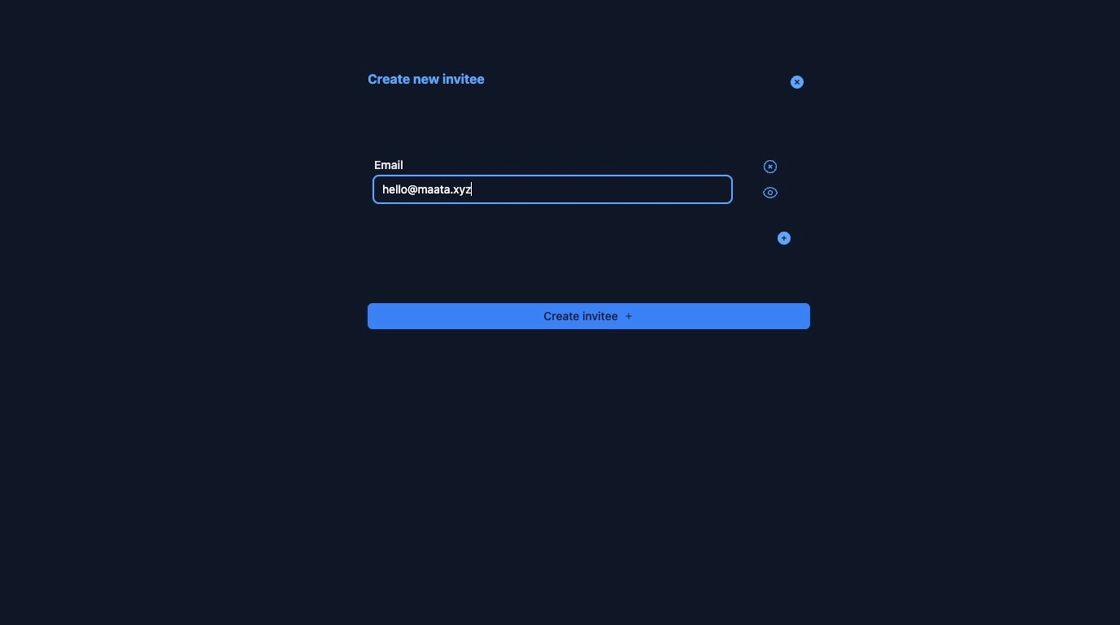
Step 4: Click the Email Field
This is where you will enter the invitee's email address.

Step 5: Click Create Invitee
After entering the email, click "Create invitee" to proceed.
Step 6: Confirm the Invitation
Click the final confirmation button (usually labeled "Send Invite" or similar) to complete the invitation process.

✅ Your collaborator has now been invited to the Huddle.
Need help managing invitations? Visit our Huddle documentation for more.